
Pick a winner
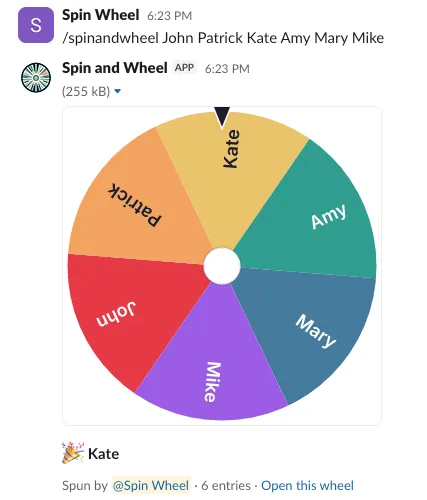
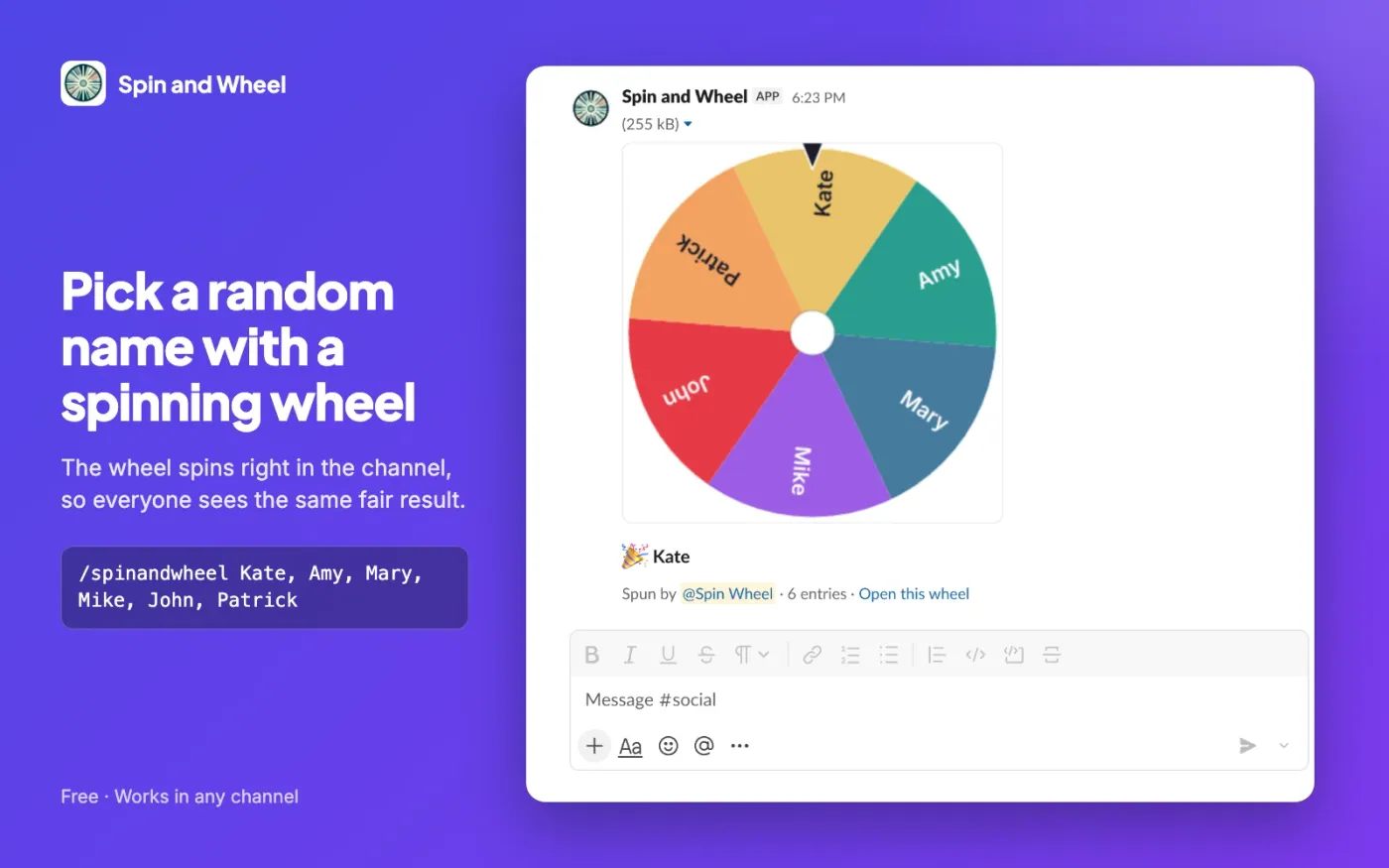
One random winner from your list, shown on a spinning wheel. Good for raffles, who presents first or who takes the next ticket.
/spinandwheel Alice, Ben, Carmen
Spin and Wheel for Slack is a free random name picker for your channels. Type /spinandwheel with a list of names to pick a winner, shuffle a stand-up order, split people into teams or draw a number. The result is posted for everyone to see, with an animated wheel that stops on the winner.
Free · no account · nothing stored
Commands
One random winner from your list, shown on a spinning wheel. Good for raffles, who presents first or who takes the next ticket.
/spinandwheel Alice, Ben, Carmen
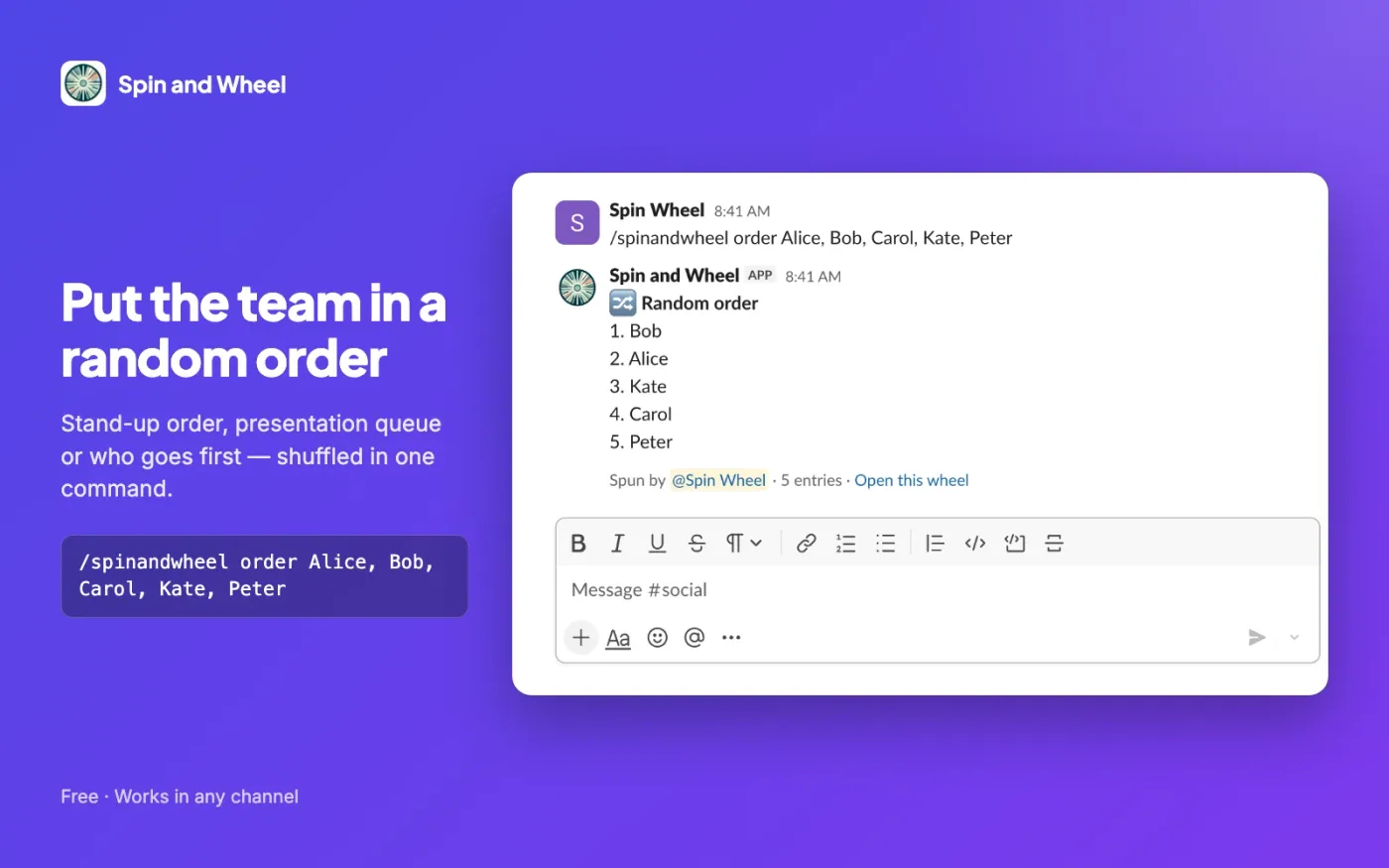
Shuffle everyone into a numbered list for stand-ups, demos, code review rotations or a speaking order.
/spinandwheel order Alice, Ben, Carmen, Dev
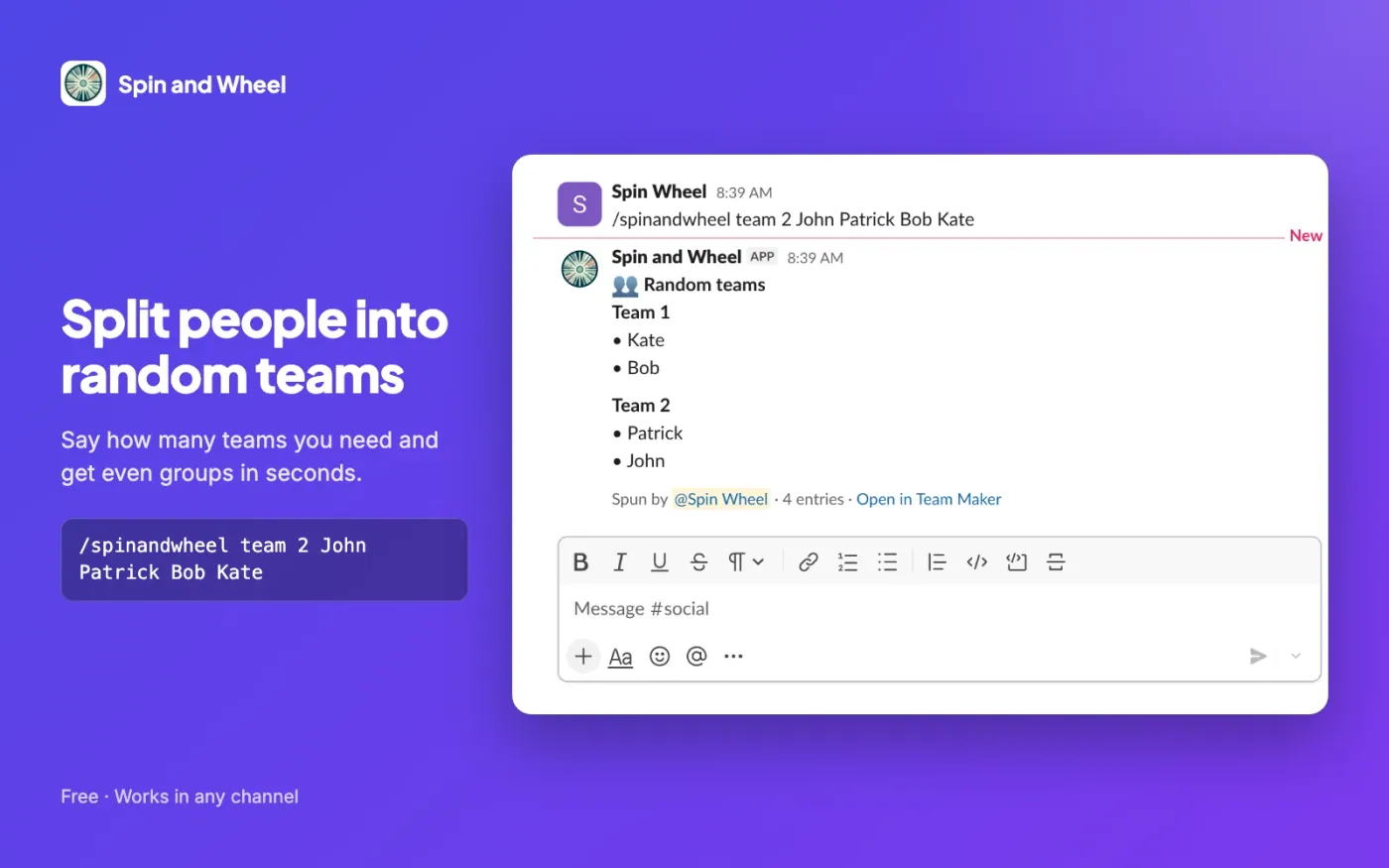
Split people into 2 to 50 teams of nearly equal size for workshops, hackathons, games or breakout rooms.
/spinandwheel teams 2 Alice, Ben, Carmen, Dev
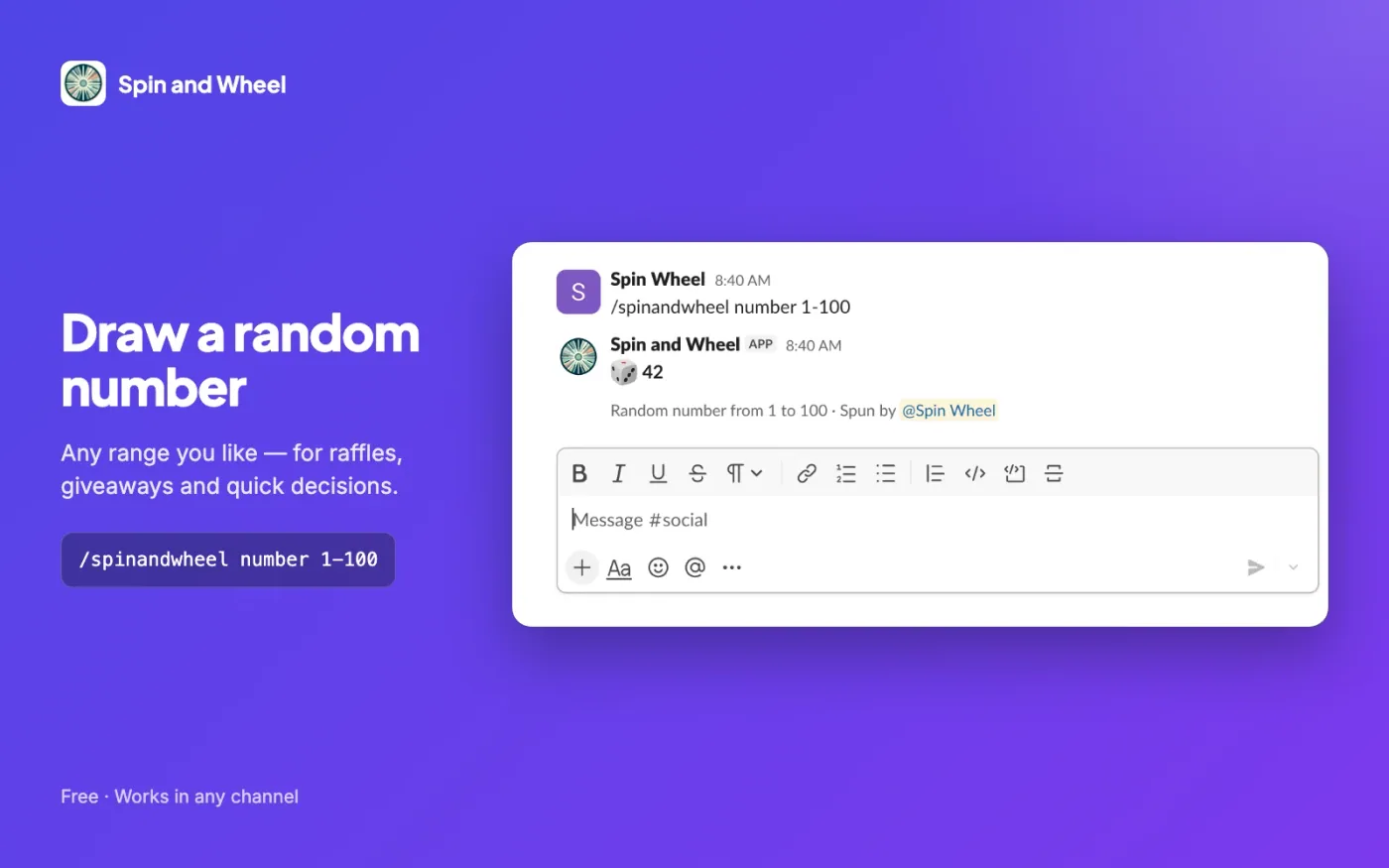
Draw a whole number from any range. Without a range it picks from 1 to 100; number 6 means 1 to 6.
/spinandwheel number 1-100
Separate entries with commas or new lines; one-word names can also be separated by spaces. @mentions work too. Type /spinandwheel help to see the options; help and error messages are shown only to you.
Setup
Slack opens and asks which workspace to add Spin and Wheel to. If your workspace needs admin approval for new apps, Slack sends the request to your admin.
The app asks for one permission: to add the /spinandwheel command. It cannot read messages, channels or your member list.
Add your entries after the command and press Enter. The result appears in the channel for everyone, together with the list you typed.
Privacy
FAQ
/spinandwheel as often as you like./spinandwheel works in public and private channels, direct messages and group messages, and the result is posted in that conversation./spinandwheel @ana @ben @carmen picks one of them.Something not working? Get help or write to spinandwheel@gmail.com.
Integrations
A shared wheel that everyone in the call sees spin, filled with the participants’ names in one click.
See the Meet add-onPut a working wheel on a blog, intranet or class page with two lines of HTML. No ads inside the widget.
Get the embed codeAdd the wheel to a stream as a transparent browser source and control the entries from a separate dock.
OBS setup guideEvery wheel registers tools that an AI agent in your browser can call to set entries, spin and read the winner.
How WebMCP works