You may Help us to improve the tool. Click here ❤️

Number Wheel 1-100

Spin a number wheel from 1 to 100 or any range. Draw raffle numbers without repeats, set a step, see every winner. Free, no sign-up, works on your phone.
Set number range

Entries:
Winners
Feedback / Report problem ↗

FAQ

Number wheel: frequently asked questions

What is a number wheel?

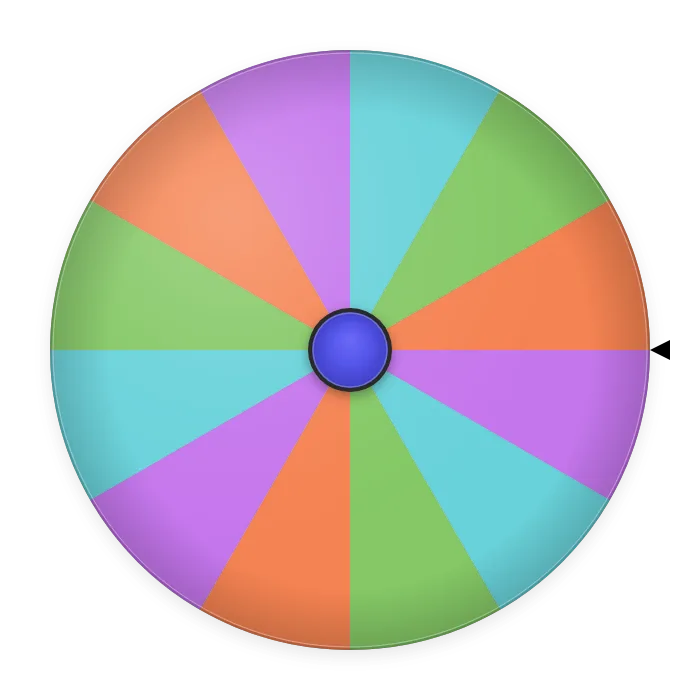
A number wheel is a spinner with one sector for every number in a range. Set From 1 and To 100, and the wheel shows 100 equal sectors, one for each number. Spin it and the pointer stops on one of them. Each number appears on the wheel once, so the wheel works like a drum of numbered tickets you can see.

How do I spin a number between 1 and 100?

Type 1 in From and 100 in To, leave Step at 1 and press Fill Entries. The numbers 1 to 100 appear in the Entries list and on the wheel. Press Rotate The Wheel (or tap the wheel) and wait about three seconds for it to stop. The number under the pointer is your result.

Which ranges can I use, and what does Step do?

Any whole-number range: 1–10 for a quick choice, 1–20 or 1–30 for a class, 1–50, 1–100, or 1–1000. Step sets the gap between numbers: Step 2 from 2 to 20 gives only even numbers, Step 10 from 10 to 100 gives the tens. If From is larger than To, the list counts down. With a few hundred numbers or more the sectors get thin, but the result is still shown in large type after each spin.

How do I draw several numbers without repeats?

After each spin, press Remove in the result window. The drawn number leaves the wheel, so it cannot come up again, and the next spin picks from the numbers that are left. Every result is also written to the Winners tab, in the order drawn. If you want the same number to be able to win twice, press Spin again instead of Remove.

Is the number wheel fair?

Every number in the range gets one sector of the same size, so on each spin each number has the same chance: 1 in 10 on a 1–10 wheel, 1 in 100 on a 1–100 wheel. Where the wheel stops is chosen at random when you press spin. Earlier results do not change the next spin unless you remove numbers from the wheel.

Can I use it to draw raffle numbers?

Yes, the number wheel was built for this. Give each ticket a number, set the range to match the tickets sold (for example 1 to 250) and spin once per prize. Press Remove after each draw so a ticket cannot win twice, and read the full list of winning numbers in the Winners tab at the end. Project the wheel or share it with the QR code so everyone sees the draw happen.

Can I use it for bingo or lottery numbers?

For a quick game, yes: set 1–75 or 1–90 and remove each number as it is called. For a full bingo game with B-I-N-G-O letters and a called-numbers board, use our bingo caller. For lottery-style picks (for example 6 numbers from 1–49), spin six times and remove each result. The wheel is random, so it cannot predict or improve lottery odds; treat it as a fun way to pick.

Does it work on a phone, and is it free?

Yes to both. The number wheel runs in any modern browser on a phone, tablet or computer, with nothing to install and no account. The numbers on your wheel are saved in your browser, so they are still there when you come back.

Can I change the numbers on the wheel by hand?

Yes. The Entries list is a text box with one number per line: delete numbers you want to leave out (say, tickets that were not sold), type extra ones, or press Shuffle or Sort. Press Use as entries in the Winners tab to spin again only among the numbers already drawn, for example to pick a grand-prize winner from the first-round winners.

Can I change the wheel's colors, sounds and spin time?

Yes. Press the palette button (Customize) next to the settings gear above the entries. Pick one of 8 color themes (Classic, Pastel, Ocean, Sunset, Neon, Forest, Mono or Rainbow), set the spin duration from 2 to 15 seconds, and choose the spin sound (Tick, Click or Soft), the winner sound (Chime, Fanfare or Off) and the volume. Confetti is off at first; switch it on under Celebration. Your choices are saved in this browser for this wheel, and Share QR code passes the same look on with the entries. None of these options changes the odds.

Use cases

Ways to use the number wheel

Raffles and prize draws

Number the tickets, set the wheel to the same range and spin once per prize, removing each winner. The Winners tab keeps the order, so first, second and third prize are on record.

Calling on students

Set the range to your class list (1–28, say) and spin to choose who answers next. Remove each student once they have had a turn, and everyone gets called before anyone is called twice.

Math practice

Spin two numbers from 1–12 for times tables, or use Step 10 from 10 to 100 to practice rounding and place value. Spinning is quicker than writing a new worksheet.

Dice for board games

No dice at the table? Set 1–6 for a die, 1–20 for a d20 or 1–100 for percentile rolls. Use Spin again rather than Remove, because dice can roll the same number twice.

Turn order and seating

Give each player or team a number and spin to decide who goes first, which table they sit at or which slot they present in. Remove each number as it is placed.

Team numbers and pairs

Count people off, then spin 1–4 to send each person to one of four groups, removing a number when its group is full. Set 1–2 to split a room in half. To split a list of names into groups or pairs in one click, use the random group generator.

Bingo night

Set 1–75 (US bingo) or 1–90 (UK bingo), turn on Voice-over so each number is read aloud and press Remove after every call. The Winners tab is your list of called numbers to check cards against.

Giveaways on a live stream

Viewers pick a number in chat, you spin the wheel on stream. The OBS links show the wheel as a browser source, and Auto rerun can spin again on a timer between rounds.

Workout and practice routines

List exercises 1–10 on paper, spin a number and do that one. Set a step of 5 from 5 to 30 to pick how many reps or seconds.

Picking a page, question or track

Spin 1 to the number of pages in a book, questions in a quiz or songs on a playlist, and start there. Remove each one to work through the whole set in random order.

Quick yes-or-no style choices

Set the range to 1–2 for a two-way choice or 1–3 for three options, agree what each number means, and spin. Faster than arguing.

How to run a raffle with the number wheel

A raffle draw works best when everyone can see it. Here is how to run one from start to finish with this number wheel, whether you have 20 tickets or 500.

1. Number the tickets. Sell or hand out tickets numbered from 1 upward and note the last number. If some numbers were never sold, write them down so you can take them off the wheel.

2. Set the range. Type 1 in From and the last ticket number in To, keep Step at 1 and press Fill Entries. Delete any unsold numbers from the Entries list.

3. Show the wheel. Put the page on a projector or TV, or press Share QR code so people can follow on their own phones. For an online event, the OBS links add the wheel to your stream.

4. Draw the smallest prize first. Press Rotate The Wheel. When it stops, read out the number (Voice-over can do it for you), then press Remove so that ticket cannot win again.

5. Repeat for each prize. Every winning number is added to the Winners tab in order, so you have a record of who won what. If a winner is not present, agree beforehand whether you redraw; if you do, just spin again.

6. Keep the record. At the end, copy the list from the Winners tab or take a screenshot to post with the results.

Why a wheel instead of a hat? Each ticket number has exactly one equal sector, the draw happens in plain view, and the list of drawn numbers is kept for you, so nobody has to trust a hand reaching into a hat.

A note on rules: in many places, raffles that sell tickets for money need a permit or have to follow local rules. The wheel picks the numbers; check what applies to your event.