Use the Wheel of Names live in OBS Studio
This setup uses two pieces that talk to each other inside OBS with no server: a Display (the spinning wheel you add as a Browser Source) and a Control Dock (a compact panel docked in OBS where you edit entries and spin). Both must run in the same OBS on the same computer — they communicate locally through your browser.
1. Generate your links
Optionally pre-fill the wheel with a starting list (one entry per line, or comma-separated):
Video: set up the wheel in OBS in under 3 minutes
The whole setup — the wheel as a Browser Source plus the Control Dock — recorded step by step in OBS Studio (2:43).
Part 1 — Add the wheel as a Browser Source
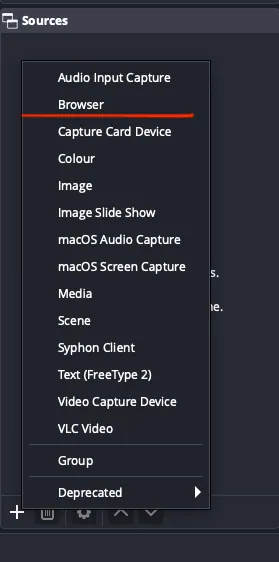
Step 1 — Add a Browser Source
In OBS, find the Sources panel, click the + button, and choose Browser. Select Create new when prompted.
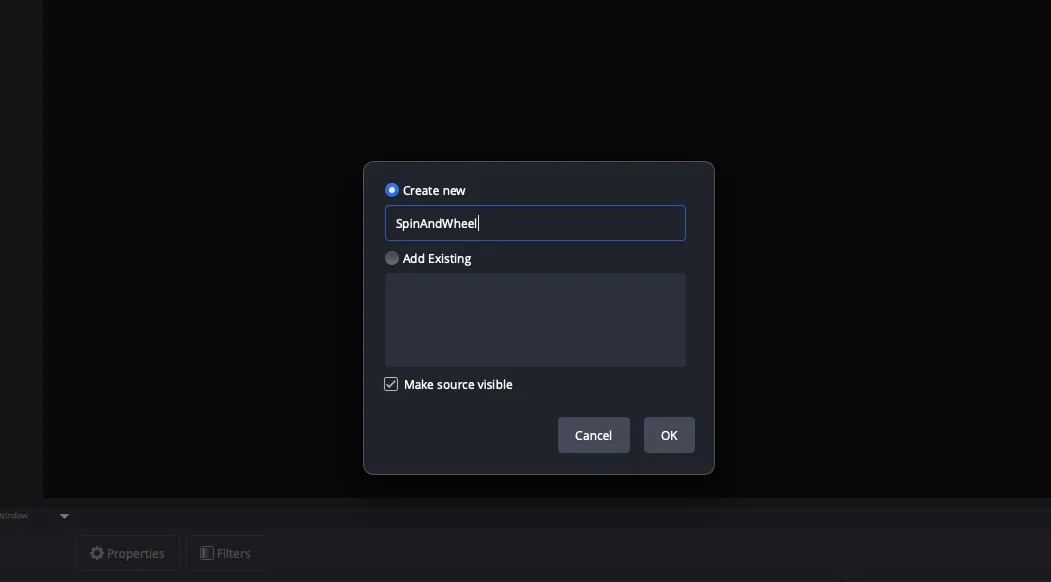
Step 2 — Name the source
Give it a clear name such as Fortune Wheel so you can find it later, then click OK.
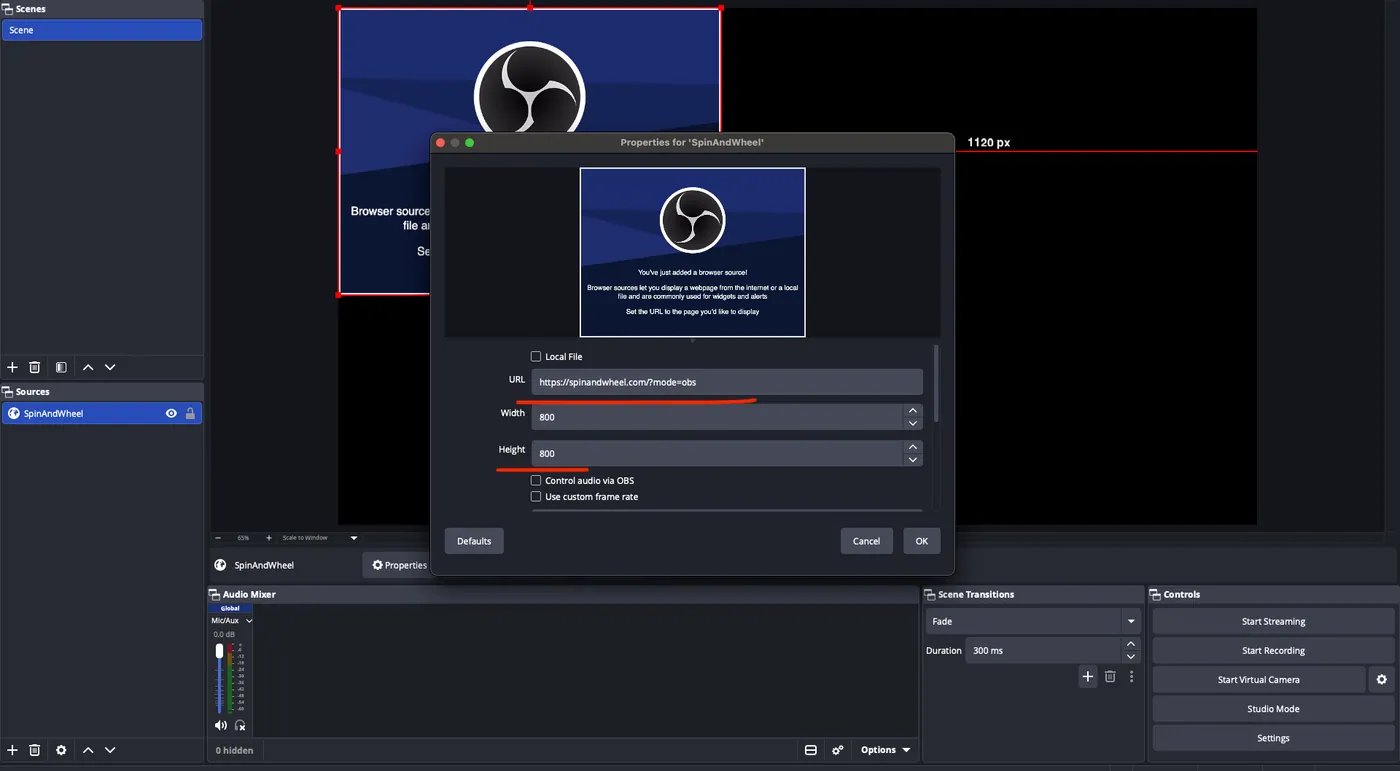
Step 3 — Paste the Display Link
In the source properties, clear the default URL and paste your copied Display Link (?mode=obs). Set Width and Height to a square (e.g. 800 × 800), and tick Control audio via OBS so viewers hear the ticking. Click OK.
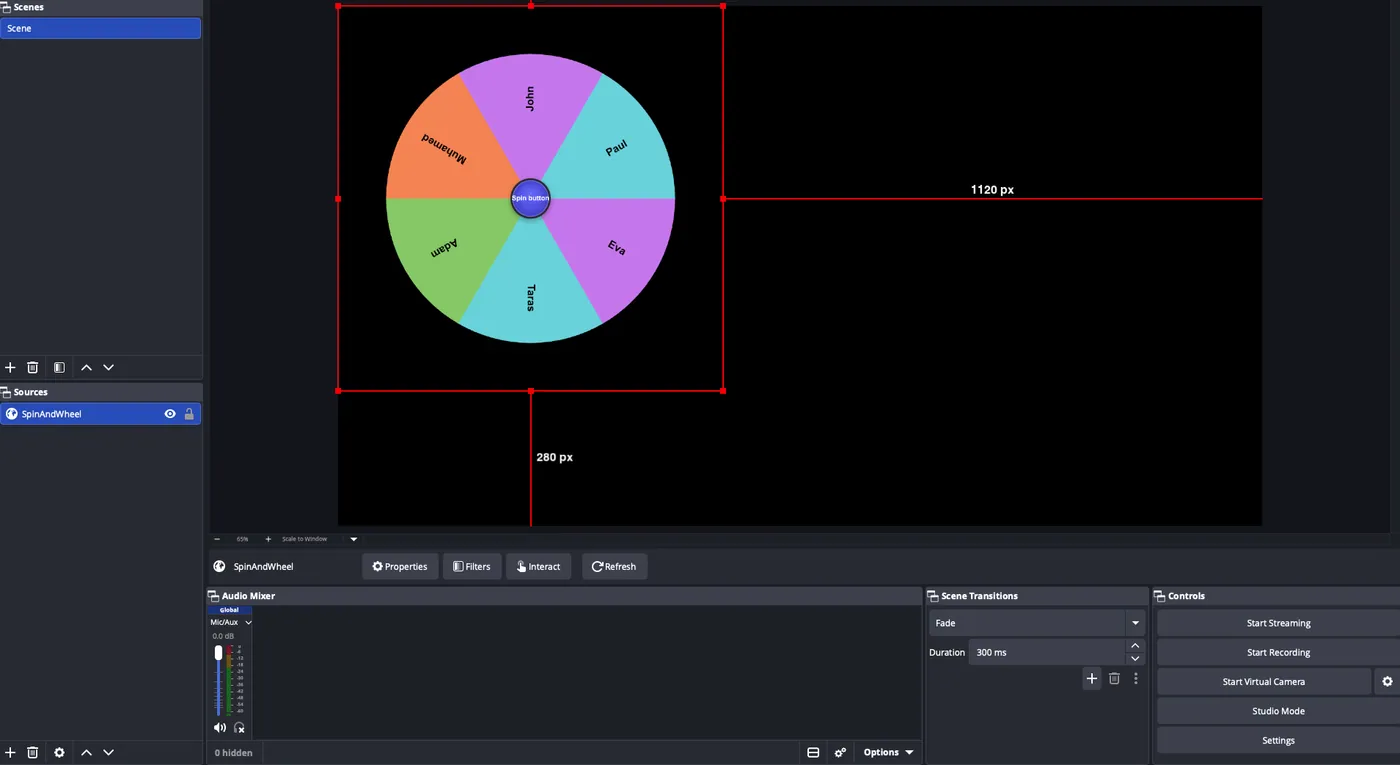
Step 4 — The wheel appears
The wheel shows up on your scene with a transparent background. Drag and resize it wherever you like — it stays see-through over your other sources.
Part 2 — Add the Control Dock
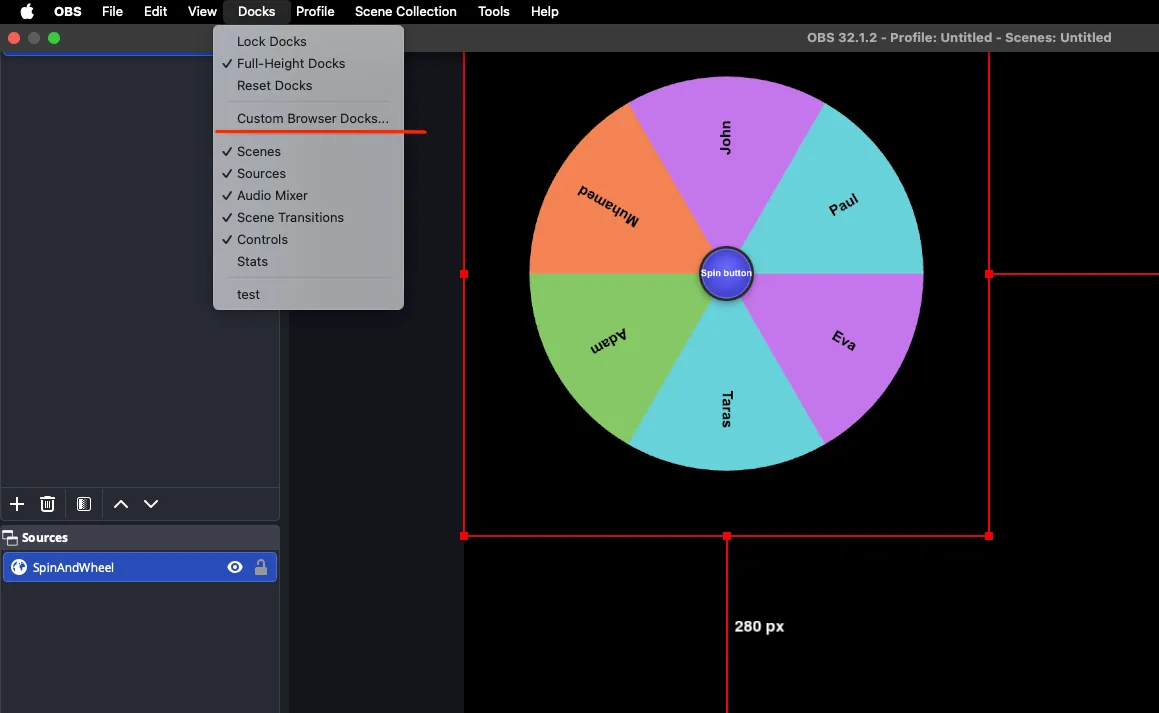
Step 5 — Add a Custom Browser Dock
In the top menu bar, open Docks → Custom Browser Docks…. Under Dock Name, type something like Wheel Controls.
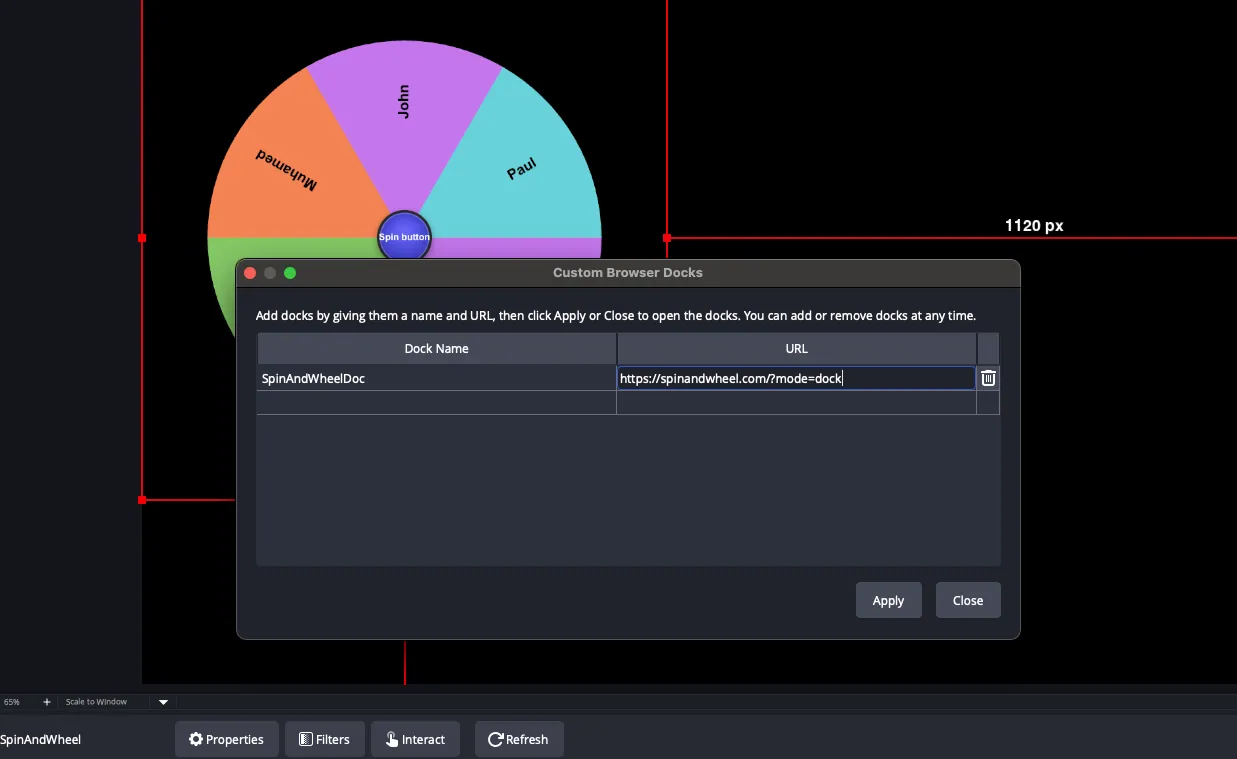
Step 6 — Paste the Dock Link and apply
In the URL column, paste your copied Dock Link (?mode=dock), then click Apply. A floating panel appears — drag it and snap it into the left or right sidebar of OBS.
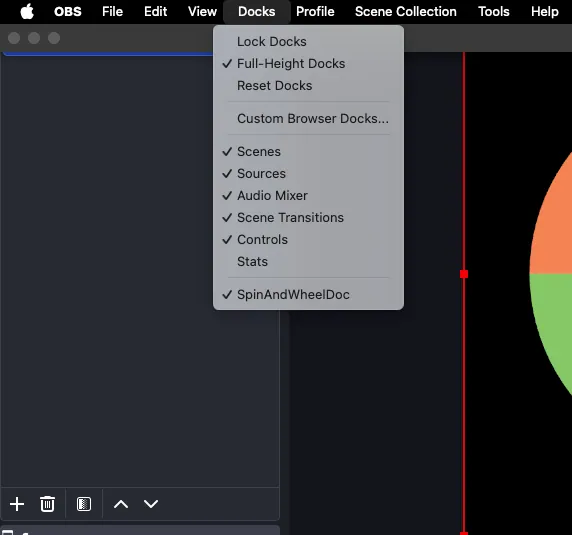
Step 7 — Make sure the dock is enabled
If you don't see the panel, open the Docks menu again and confirm Wheel Controls is checked. Reposition it to taste.
Done — control your wheel live
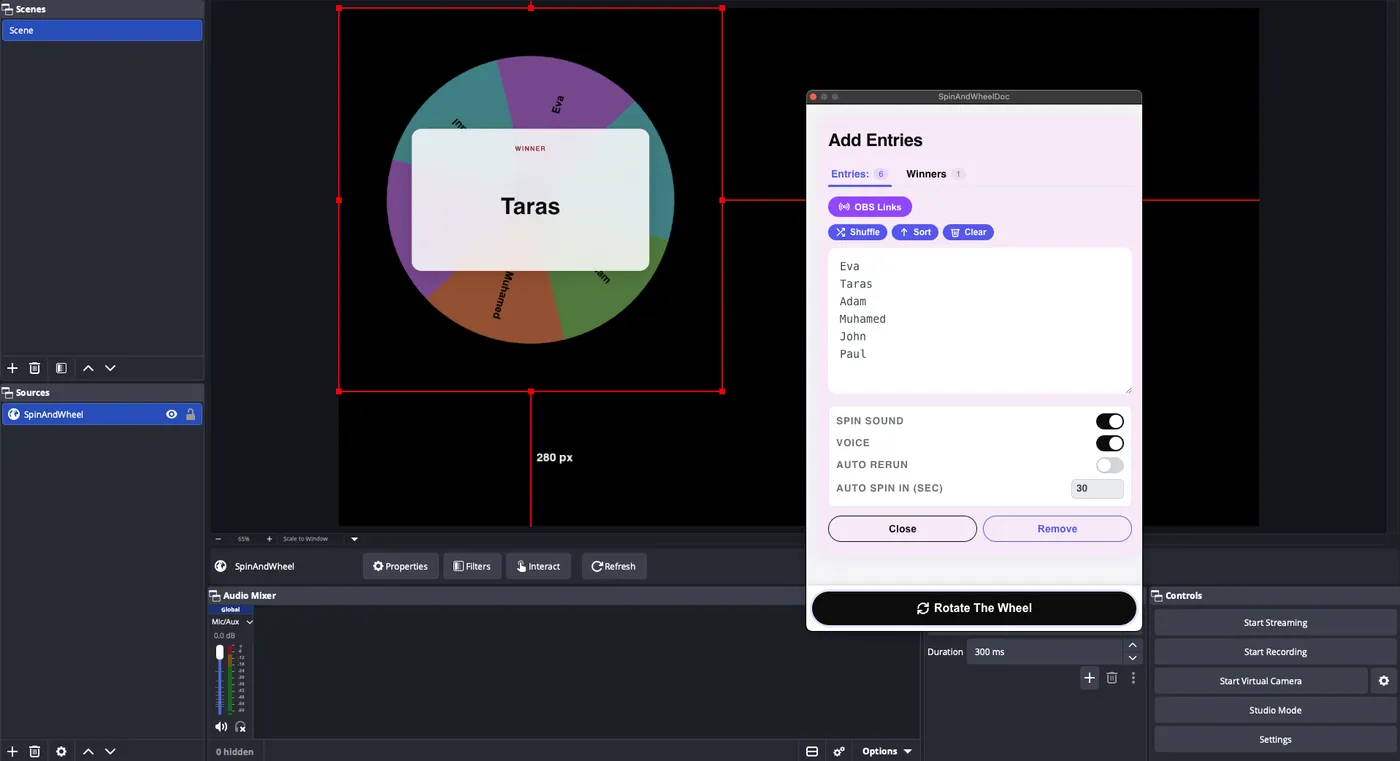
You now have the wheel on your scene and the controls docked inside OBS. Edit entries and press Rotate the Wheel in the dock — the display spins instantly, winners flow back into the dock's Winners tab, and you can toggle sound, voice-over and auto-respin from there. No browser tabs, no backend.
Problem solving
If your wheel integration looks broken in OBS — blank, frozen, or stuck on an old version — OBS is showing a cached copy of the page. Refreshing the Browser Source's cache fixes it.
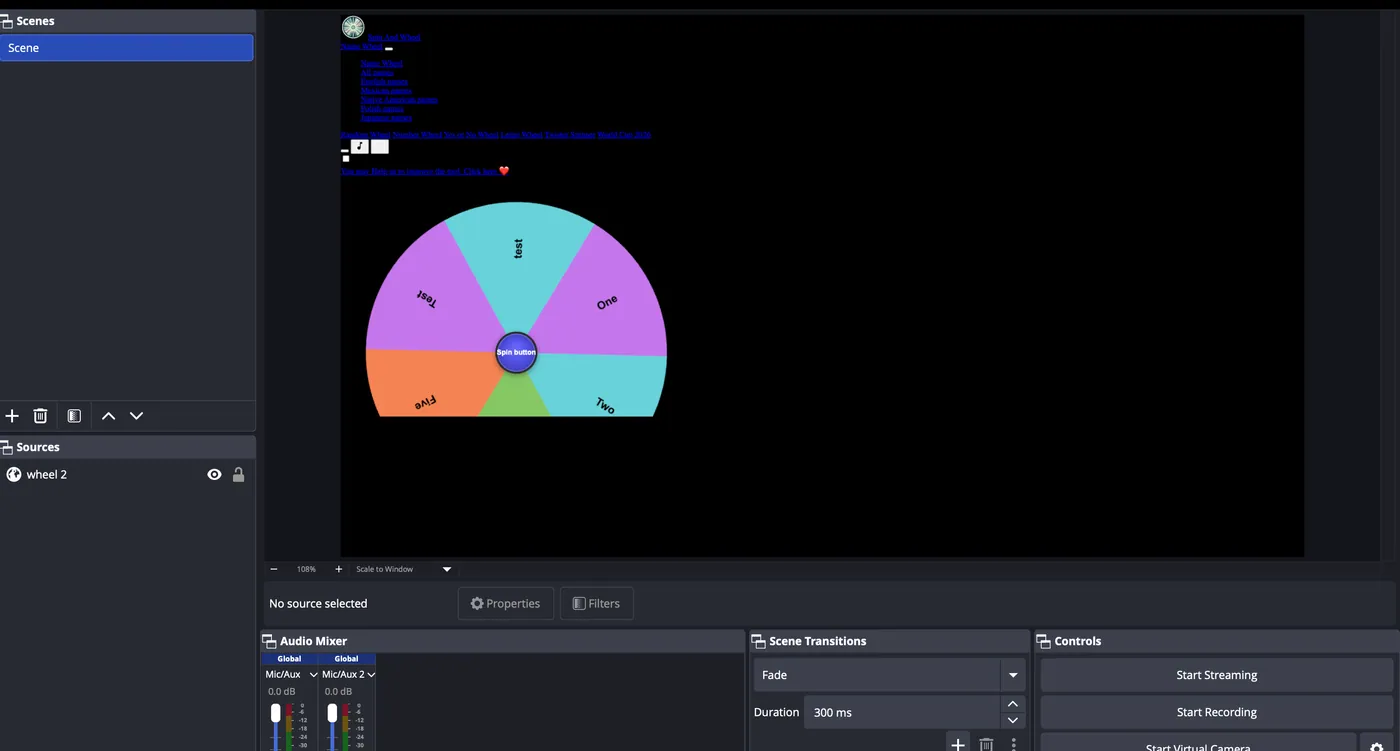
A broken wheel integration looks like the image below: the wheel doesn't load correctly or shows outdated content.
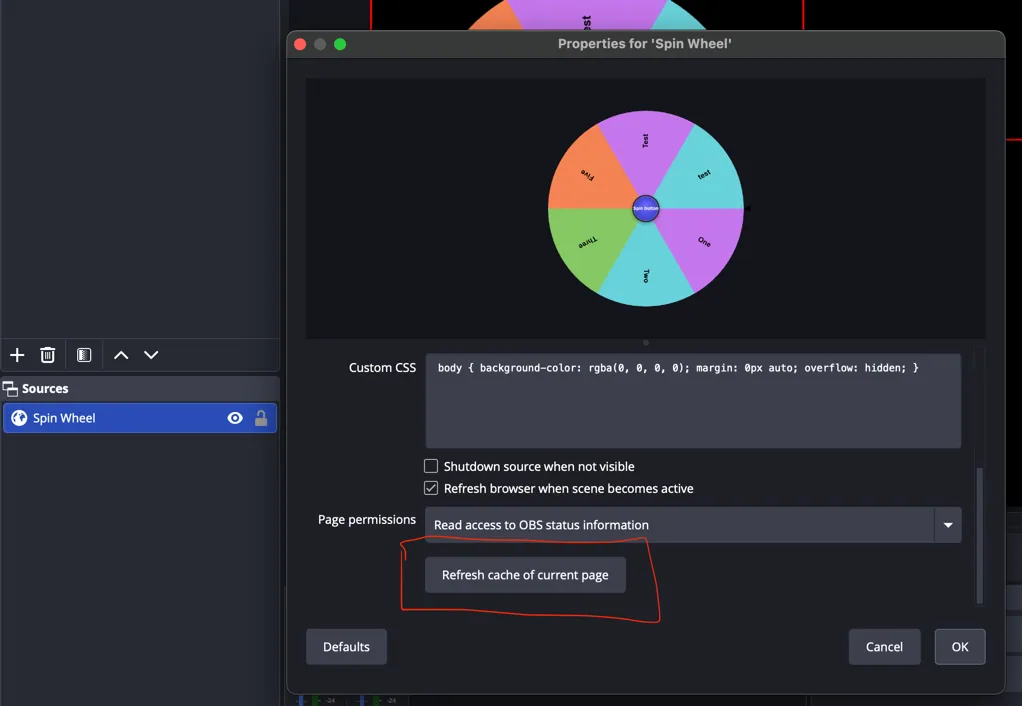
To fix it, select your wheel in the Sources panel and open its properties. In the dialog that appears, click Refresh cache of current page (highlighted below). The Browser Source reloads and the wheel works again.
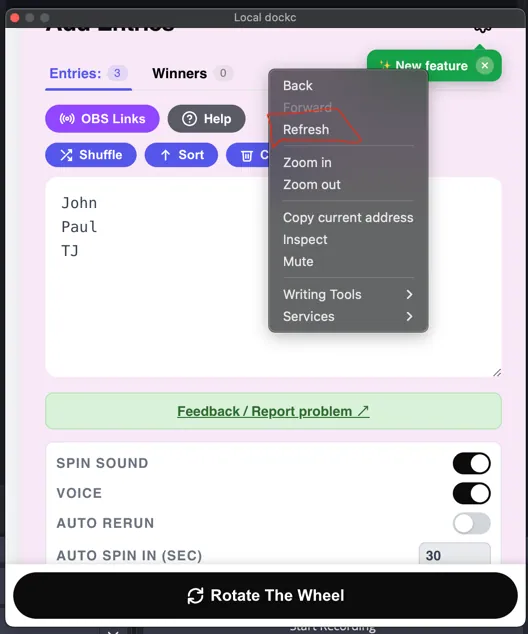
To refresh the control dock panel, right-click anywhere on the dock and select Refresh from the menu (shown below).