
Classroom picker
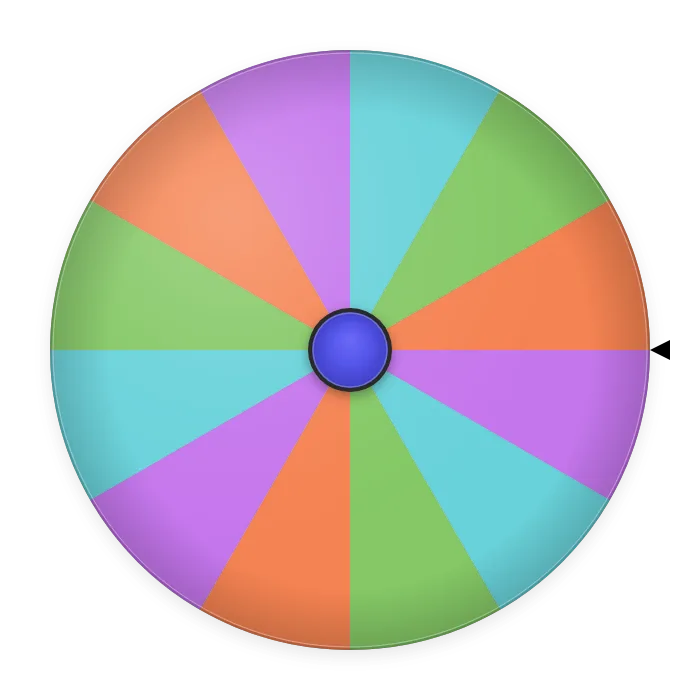
12 sample first names on the Pastel theme, a 6-second spin with the Soft tick and no confetti. Replace the names with your class list to pick who answers next.
Make your own spin wheel in under a minute: type your entries, then choose the colors, spin time, sounds and confetti. It's a free custom wheel spinner that works in the browser, with no sign-up, and every entry has the same chance to win.
Add the wheel to OBS as a Browser Source, and control it from a Custom Browser Dock — on the same computer.
Type or paste one entry per line in the Entries box: names, prizes, tasks or questions. The wheel redraws as you type and gives every entry a slice of the same size.
In the Customize panel, pick one of 8 color themes: Classic, Pastel, Ocean, Sunset, Neon, Forest, Mono or Rainbow. Labels switch to black or white so they stay readable.
Choose how long the wheel spins (2, 3.5, 6, 10 or 15 seconds), the tick while it turns (Tick, Click or Soft), the winner sound (Chime, Fanfare or Off) and the volume. Turn on confetti if you want a celebration for every winner.
Press Spin or click the wheel. To give your custom wheel to someone else, press Share QR code: the link and QR code carry your entries and your settings.
Your entries and settings are saved in this browser, so the wheel looks the same next time you open the page.
| Option | Choices | Default |
|---|---|---|
| Color theme | Classic, Pastel, Ocean, Sunset, Neon, Forest, Mono, Rainbow | Classic |
| Spin time | 2, 3.5, 6, 10 or 15 seconds | 3.5 seconds |
| Spin sound | Tick, Click, Soft | Tick |
| Winner sound | Chime, Fanfare, Off | Chime |
| Volume | 0–100 | 70 |
| Confetti | On or off for each win (skipped when the device asks for reduced motion) | Off |
Also on this wheel: a Winners tab that keeps every result, Remove winner for elimination rounds, auto-spin with a countdown, voice-over that reads the winner aloud, voice control, fullscreen, and an OBS overlay for live streams. Reset to defaults in the Customize panel brings back the classic look.
Not sure where to start? Each template fills the wheel with sample entries and sets a matching look in one click. Edit anything afterwards, or press Undo to get your own list and settings back.
12 sample first names on the Pastel theme, a 6-second spin with the Soft tick and no confetti. Replace the names with your class list to pick who answers next.
10 sample handles on Neon, a 10-second spin, the Fanfare winner sound and confetti. Paste the commenters from your post and spin on camera.
8 dishes on Sunset with a 3.5-second spin. Want a bigger menu by meal or cuisine? Try the Food Wheel.
Three answers on Mono with a quick 2-second spin. The Yes or No Wheel has more answer sets and a results bar.
10 harmless dares on Rainbow with the Fanfare sound and confetti for every turn.
8 household chores on Forest, so nobody can argue about who takes out the trash.
Customizing changes how the wheel looks and sounds, never who wins. Every entry gets a slice of the same size, and the stopping point is drawn with the browser's cryptographically secure random number generator (crypto.getRandomValues) before the wheel starts to turn. A longer spin is only a longer show: with 8 entries, each one still has a 1 in 8 (12.5%) chance.
FAQ