
Yes or No Wheel
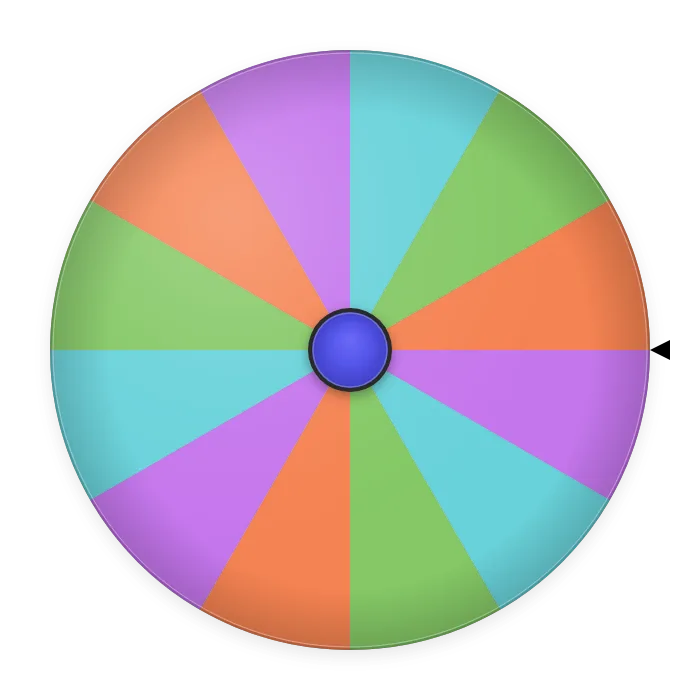
Add the wheel to OBS as a Browser Source, and control it from a Custom Browser Dock — on the same computer.
Set up your yes or no wheel
Yes or No Wheel: questions and answers
- What is the yes or no wheel?
- It's a free online wheel that answers any question with Yes or No at random. Think of a question, spin, and the pointer lands on your answer. You can also add Maybe, or replace the answers with your own.
- How do I use it?
- The wheel starts with Yes and No. Ask your question out loud or in your head, press the spin button or tap the wheel, and wait a few seconds for it to stop. Use + YES, + NO and + MAYBE to change the answers on the wheel.
- Is it really 50/50?
- Yes. By default the wheel has the same number of Yes and No sectors, all the same size, and the stopping point is random. Each spin is independent, so after three Yes answers in a row the fourth spin is still 50/50. The results bar under the wheel lets you check it yourself.
- Yes or no wheel or a coin flip?
- With just Yes and No, the odds are the same as a coin. The difference is everything else: you don't need a coin, everyone can see the result on the screen, you can add Maybe or other answers, and the results bar counts how often each answer has come up.
- Can I add Maybe or my own answers?
- Yes. With + MAYBE the wheel has three answers, each with a 1 in 3 chance. You can also type your own, such as "Ask again", "Tomorrow" or "No way". An answer you add twice takes two sectors and comes up twice as often.
- Is it free? Do I need an account?
- It's free and needs no account or download. Open the page and spin as many times as you like.
- Does it work on my phone?
- Yes. It works in any browser on a phone, tablet or computer, and the wheel resizes to fit the screen.
- Can I use it on a Twitch or YouTube stream?
- Yes. The wheel has an OBS mode that shows it in your stream while you control it from another window, so chat can ask questions and the wheel answers live. The steps are in the OBS setup guide.
- Can I use it in class or at work?
- Yes, for personal, classroom and business use. Put it on the board in class, or share your screen in a meeting so everyone sees the spin. The share button makes a QR code so others can open the same wheel on their phones.
- What does the results bar show?
- The bar under the wheel shows how often each answer has won since you opened the page. It starts with equal parts (50/50 for Yes and No, a third each with Maybe) and updates after every spin: after 10 spins with 7 Yes, it shows 70% Yes and 30% No. The more you spin, the closer it gets to the real odds. It adjusts when you add or remove answers.
What can you use the yes or no wheel for?
- Everyday decisions
- Go out tonight? Buy the shoes? Answer that message now? For the small doubts that eat your time, one spin settles it.
- Settling it with friends or a partner
- Pizza or not? Movie tonight? Let the wheel break the tie so nobody has to be the one who decided.
- Truth or dare
- Put Truth and Dare on the wheel instead of Yes and No, and let each player spin for their turn.
- Party games
- Ask silly questions out loud and let everyone guess the answer before the wheel stops. Add Maybe to keep people guessing.
- In the classroom
- Quick true-or-false questions, "Do we go outside for this activity?", or deciding which team goes first. Put the wheel on the board so the whole class sees it.
- Live streams
- Chat asks, the wheel answers on screen: "One more game?", "Do I read the comments?". OBS mode puts it straight into your stream.
- Food
- Order in tonight? Dessert? Try the new place? When nobody can decide, spin.
- Workouts
- Extra set or not? Run today? Use the wheel when you need a push either way.
- Teams and meetings
- When the vote is split, spin for the tiebreaker and move on, with the result on everyone's screen.
- Role-play and writing
- Does the character open the door? Does the plan work? Let the wheel decide plot twists in tabletop games or stories.
- Your own answers
- Swap Yes and No for "Definitely", "No chance" and "Ask tomorrow" to make your own magic 8-ball. Every answer gets the same space on the wheel.
Yes or no questions to play with
How to play: one person asks a question out loud, everyone guesses the answer, and the wheel decides. Use these yes or no questions to get started, then make up your own.
With friends: Should I order pizza tonight? Should I get a haircut this weekend? Should I text first? Are we going to the concert?
For couples: Do I pick the movie tonight? Should we plan a weekend trip? Should we try the new restaurant? Are you cooking today?
Icebreakers: Will you share your most embarrassing story? Will you sing at karaoke? Will you swap seats with the person on your right?
Just for fun: Does my cat understand me? Should I learn the bagpipes? Is today a good day to dance in the kitchen? Does pineapple belong on pizza?
For the classroom: Do we take the activity outside? Does the blue team go first? Do we get a five-minute break? Do we review with a game?
For a live stream: One more round? Do I take the challenge chat asked for? Do we switch games? Giveaway at the end of the stream?
About the future (just for fun): Will I pass the exam? Will I win the lottery this year? Will I visit Japan one day? Will I be on TV someday?
Remember that the wheel answers at random: it's perfect for games and small doubts, but for important decisions use it only as a tiebreaker, not as advice.